
Console and chat commands
Open the shared desktop chat and console, run slash commands, manage a match, and understand who can use each command and how it affects rewards.
Steel Tide's console lets you inspect a match, change its resources and conditions, switch factions in a local game, or moderate a multiplayer room. On the desktop HUD it shares one prompt and log with chat: ordinary text is a message, and a line starting with / is a command.
Opening the prompt
`, the backquote key left of 1, toggles the console. Esc closes it. The binding is Admin console under Settings → Controls. On the desktop HUD, / opens it with the slash already typed; in multiplayer, Enter opens the same prompt for chat.
Type /help (or /?) for the command list and /players for the factions. Press Enter to submit. ↑ and ↓ recall the last 30 submitted lines. Successful weather, time, faction-control, speed, respawn and automation commands close the prompt; reference commands and most other commands leave it open. A refused line stays available to edit. Battle hotkeys do not fire while you type.
Chatting
On the desktop HUD, text without a leading slash goes to the room. In a multiplayer match, the All and Team tabs above the log choose who hears it: click one, or press Tab while typing, to switch. Single player and neutral spectators have no tabs, since there is no team to talk to. Commands are not broadcast as chat.
In a local game, ordinary text stays in your own log. It does not run a command: type /give red mbt 5 to place tanks, not give red mbt 5.
Who may run them
- Single player: match commands run immediately in your local game.
play,handover,director,placeandfreezeare local-only; moderation commands need a multiplayer server. - Multiplayer: the host runs match and moderation commands. They are sent to the server and applied there; its reply prints in the prompt. Other players receive Only the host can run commands.
/helpis available to everyone, and/recordcan be requested by any player or neutral spectator. kick,ban,unban,bans,reportsandsayare server commands. The room's player menus also offer moderation actions; server operators can administer the lobby before a match begins.
Naming a faction
Most commands take a <who>. It can be:
- the faction id, the number in front of each line of
/players; - the faction's colour, in English, Chinese or Korean (
red,蓝方,파랑); - in multiplayer, the name of the player holding that faction, something only the server knows, which is why the token travels to it as written.
Exact matches win first, then a unique prefix: /respawn re finds Red, while /respawn r answers with the factions it could have meant.
The commands
| Command | What it does |
|---|---|
/help, /? | Print this list in the console. |
/players, /list | One line per faction: id, colour, human or AI (with its difficulty), and whether it is alive, has no base left, or is eliminated. On a server the player's name is appended, and (disconnected) if they dropped. |
/respawn <who> | Give a faction that lost its base a new headquarters. |
/metal <who> <amount> | Set that faction's bank to <amount>; it sets, it does not add. 0 to 1,000,000, rounded. |
/give <who> <unit> [n] | Place n of a unit at that faction's base. 1 to 50, default 1. |
/heal <who> | Repair everything that faction owns, at once and for free. |
/reveal [on|off] | Lift the fog of war, or put it back. Bare /reveal means on. |
/speed 0.5|1|2|4 | Set the game speed. |
/time [when] | Move the sun, or read the clock back with no argument. |
/weather [sky] | Set the weather, or read it back with no argument. |
/wind [from] | Turn the wind, or read it back with no argument. |
/play <who>, /control <who> | Take that faction over and drive it, an AI's included. Local games only. |
/handover <who> [level], /ai <who> [level] | Hand that faction to an AI commander, wherever the match has got to. relaxed, standard, seasoned or veteran; standard when left out. Local games only. |
/auto <who> [off|depts] | Delegate a human faction's work to the AI brain under its own fog. Omit departments for all; off takes control back. |
/director [on|off] | Turn Director Mode on or off in this match; with nothing after it, flip it. Local games only. |
/place <who> <building> <x> <y> | Stand a finished building for that faction, free, its top-left corner on tile x, y. Local games only. |
/freeze <who|all> [off], /thaw <who|all> | Stop a faction's AI brain, or every one, or start it again. Local games only. |
/kick <who> | Remove the player holding a faction from the match. Server only. |
/ban <who> [minutes] | Remove and ban a player, permanently when minutes are omitted. Server only. |
/unban <name|address> | Lift a ban by the recorded name or address. Server only. |
/bans | List active bans. Server only. |
/reports [n] | Read the latest player reports with their chat context. Default 10; accepts 1–50. Server only. |
/say <text> | Send a server announcement to everyone in the room, up to 240 characters. Server only. |
/record | Start recording the match from now. Any player or neutral spectator may request it online. |
respawn
The faction has to actually be out of bases; one that still has somewhere to rebuild is told so. It comes back alive, with its metal topped up to the match's starting metal if it had fallen below, and its faction's headquarters with two starting builders at its original spawn, or on nearby clear ground with room for that headquarters. Everyone sees the announcement in the activity feed. This is the host's way to let someone who lost their base in the first ten minutes keep playing rather than watch.
give
<unit> is the game's internal unit id, or any of the names that unit also answers to: /give red mbt 5, /give red bison 5 and /give red tank 5 all place five Bison Battle Tanks. Case is ignored. Every id and alias is in the tables at the foot of this page.
Units only; /place stands a building. They arrive fully built and free, fanned around the faction's headquarters (or any other building it holds, or a surviving unit, or its spawn if it holds nothing at all), and each one still has to find ground its own domain can stand on: /give red frigate at an inland base places nothing and says so. The unit cap is recounted afterwards, so a generous /give can leave a faction over its cap and unable to produce until the count comes down.
heal
Everything the faction owns, units and buildings alike, goes back to full hit points. Construction sites are deliberately left alone: a site's hit points are its build progress, so filling them would finish the building rather than mend it.
reveal
This is the match's own fog setting, not a spectator view, so it lifts for everyone at once: you see the enemy and the enemy sees you. /reveal off puts the fog back where it was.
speed
The four speeds are the same ones the HUD buttons offer. Campaign speed is fixed at ×1; the command cannot change it. In a solo game it moves your clock; in a multiplayer match the server moves everybody's, and the activity feed says who is now running at what.
time
[when] is an hour by name (dawn, morning, noon, afternoon, dusk, night, midnight) or a number of minutes into the 24-minute cycle, which starts at dawn: /time 6 is noon and /time 18 is midnight. /time set night works too, for fingers that learned it elsewhere. Bare /time prints where the sky is without touching it.
It moves the sky's clock and never the match's. Every cooldown, reload and last stand in the game is measured against match time, so winding that back to make it night would be a time machine rather than a light switch. The hour is a jump rather than a front, so the fog answers on the same tick.
This works whatever the match's Time row says. With the sun stopped it pins the sky where you put it (/time midnight on a match held at noon is a permanent night, sight penalty and all), and the console says so when it does.
weather
[sky] is clear, rain or snow. Bare /weather names the current one instead of changing it. On a fixed-weather match the new choice stays in effect. On Random, it is held for nine minutes, then automatic changes resume.
The new sky is a front rather than a switch: it takes about 25 seconds to cross the map, with the tint, the fall and both dials sliding together. On a match set to a random sky it also holds the new weather for a full spell, so a hand-set storm is not undone by a roll that was already due.
See Weather and time for what each sky costs an army.
wind
[from] is where the wind blows from, the way winds are named: a compass point (n, ne, e, se, s, sw, w, nw, or spelled out, north-east and northeast both), or degrees clockwise from north (/wind 270 is a west wind). /wind from west works too. /wind auto brings back the map's own wind. Bare /wind says where it is blowing from and whether that is the map's own or one set by hand.
Map north is the top of the screen, so a west wind blows left to right. The wind comes round over about eight seconds rather than snapping, and keeps its slow natural wander about the new bearing.
The wind decides nothing: no sight, no speed, no shot. It is what the rain's slant, the snow's drift, the smoke off guns and power plants and the cloud shadows all agree on, so it changes how the battlefield looks and nothing else. Only its side-to-side half leans the rain: under a north or a south wind the rain falls straight and the smoke and the clouds show the way it blows. In a multiplayer match it reaches everyone on the next frame, a save keeps it, and a replay turns it at the same moment.
play
Walk round to the other side of the fight and drive it. /play red and the screen turns to look through Red's eyes: its economy, its fog, its production, its army, and the camera lands on its headquarters. Anything you order from then on is Red's.
The Conquest setup is the other way in: set as many seats as you like to Play this faction too and the match opens with all of them yours, /play being how you move between them. /play needs none of that, though; it will take a faction that was never yours to begin with.
Any faction answers, an AI's included. Taking one over stops it being an AI (its brain goes, and with it the income handicap its difficulty carried), so it does not fight you for the controls. The faction you left stays exactly as it is: still yours, simply with nobody's hands on it. Its buildings go on producing, its units hold whatever orders they had, and /play again brings you back to it.
Local games only. A server hands a connection one seat and never takes it back, so this console command is never sent over the wire; a multiplayer host is told the server decides.
handover
The other direction from /play: /handover red veteran and Red is an AI's problem from the next tick. It lets an AI join a war already in progress.
Nothing is reset and nothing is rebuilt. The new commander takes stock of what it has inherited and carries on from there: the buildings standing, the engineers idle, the army in the field, the metal in the bank. That works because the brain reads the world every second rather than following a build order it started at minute zero; a base handed over at the twentieth minute is simply a base it did not happen to build itself. It rolls its own doctrine on its first thought, so the faction may well start fighting quite differently from the way you were fighting it.
The one thing it is told is when it woke up. Its first offensive is timed from the handover rather than from the opening whistle, so it takes a moment to gather rather than marching whatever happened to be standing idle at the instant it took over.
/handover with the faction you are driving hands away your own seat. If another faction is still in human hands the screen turns to that one; otherwise you stay where you are and watch, and /play takes the controls back whenever you want them. Its income moves to that difficulty's rate: 65% for Relaxed and 100% for Standard, Seasoned or Veteran.
Local games only, for the same reason /play is.
auto
/auto red delegates all five departments: economy, research, production, army and nukes. Name a comma-separated subset to delegate just that work, for example /auto red economy,production. This keeps the faction in human hands and keeps its normal income and visibility; the commander can only act on what that faction knows. /auto red on and /auto red all also delegate all departments. /auto red off stops the automation, leaving existing orders in place. In multiplayer only the host may use this console command.
director
/director on puts the Director button among the HUD's controls and opens its panel, as the Conquest option does from the start; /director off puts both away, and /director alone flips it. It works in any local match. Turned off, the screen goes back to a faction held by a player, or to watching every faction if none is left. Turning it on counts as changing the match, so the match pays no merit even if it is turned off again.
place
<building> is a building's internal id, such as factory, radar or hq; a level reached only by upgrading, such as airbase2, cannot be placed. The building stands finished and free with its top-left corner on the tile named, anywhere its ground takes it: past the build radius, the production slots and the tech requirements. A War Lab still needs a match with the tech tree, and a building limited to one per faction stays so. A faction already out of the match must be respawned first. Director Mode's panel places buildings the same way with the mouse.
freeze
/freeze red stops Red's AI brain: it makes no new decisions, while its units still fight and its factories and engineers finish what they were making. /freeze red off or /thaw red starts it again. /freeze all stops every faction's AI at once. A player's faction handed to the brain with /auto freezes the same way; a player's own faction has no brain to freeze. A save keeps the brain frozen.
kick
During a match <who> names a faction; in the lobby it is a seat number or a unique player name. The lobby's player list offers the same action in each row's three-dot menu. The host cannot be kicked. The removed player's faction stays in the match, with its units keeping their orders. In a public room a kick also keeps the player out for 30 minutes; in a private room they may join again.
ban and unban
/ban red 60 removes Red's player and bans them for 60 minutes. Omit the duration for a permanent ban; timed bans are capped at one year. /bans lists active bans, and /unban name or /unban address lifts a matching entry. Bans can identify a player by their recorded name, address or installation; changing a display name may not let them back in.
reports and say
/reports shows the latest ten reports; /reports 25 asks for 25, up to 50. Entries include the reporter, reported player, reason, any note and recent chat context. /say Maintenance after this match sends a server announcement to everyone in the room, up to 240 characters.
record
/record starts a recording from the current position; it cannot recover the part of the match before recording began. If the match is already being recorded, the command says so. Online, any player or neutral spectator may request it, and the server supplies the recording at the result. Recordings are managed under Developer Tools. Recording itself does not change medal or merit eligibility.
Unit ids
What /give will take, by domain: the canonical id, and the aliases that mean the same unit. The name links to the unit's page.
Land
| Weapon | Id | Also answers to |
|---|---|---|
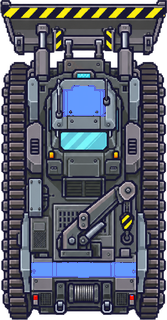 | engineer | eng, builder |
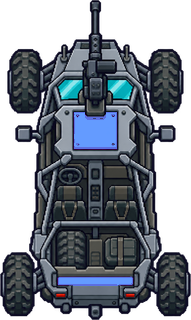 | buggy | recon, jeep |
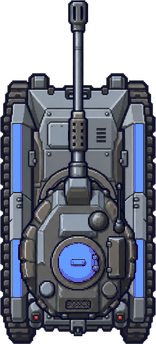 | ltank | wolf, light |
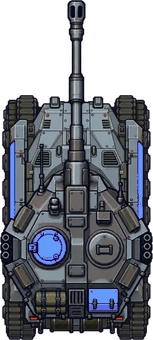 | mbt | bison, tank |
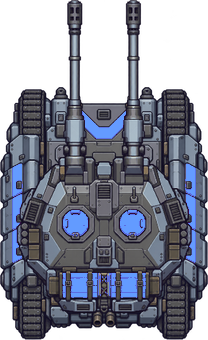 | htank | mammoth, heavy |
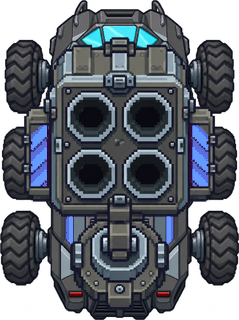 | td | viper, at |
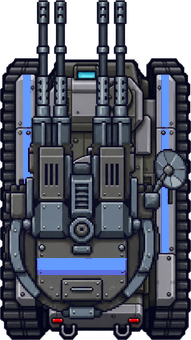 | flak | flaktrack, aa |
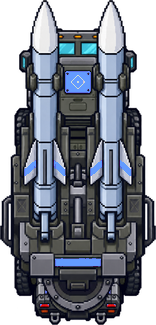 | sam | hawk, aalauncher |
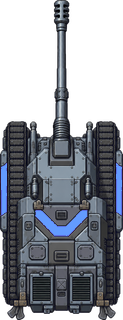 | arty | thunder, howitzer |
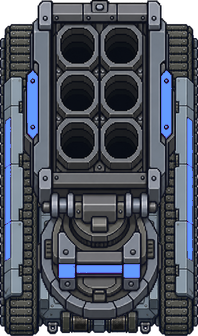 | mlrs | tempest, rockets |
 | radarcar | owl, sensor |
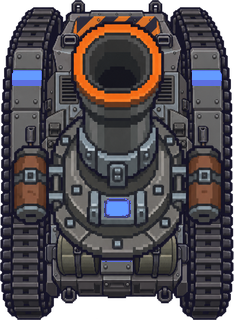 | salamander | sala, mortar |
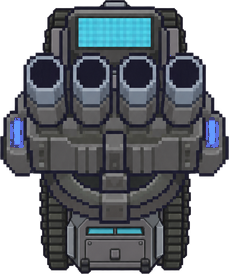 | bulwark | interrupter, pd |
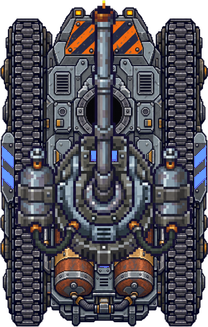 | drake | flametank, flamer |
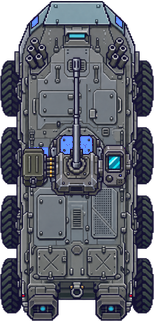 | gator | acv, amphibian, amtrac |
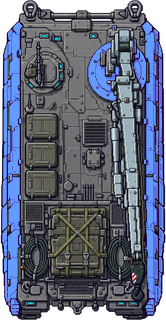 | hercules | arv, recovery, m88, buffel |
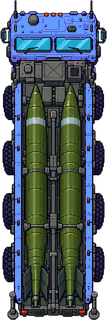 | scorpion | tbm, iskander, ballistic |
 | nukebomb | b61, nuclearbomb, gravitybomb |
Sea
| Weapon | Id | Also answers to |
|---|---|---|
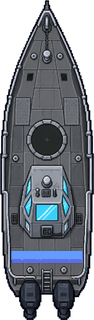 | gunboat | patrol, boat |
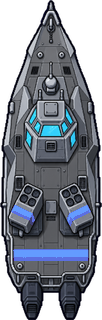 | mboat | missileboat, corvette |
 | frigate | aegis, escort |
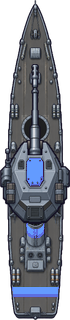 | destroyer | orca, dd |
 | sub | barracuda, submarine |
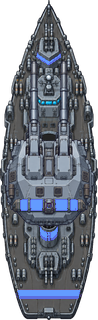 | btlship | sovereign, battleship |
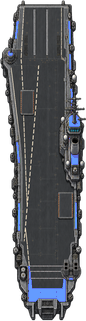 | carrier | aircraftcarrier, cv |
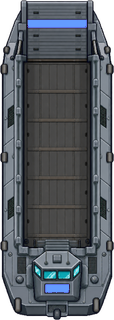 | seatrans | landingcraft, lst, lcac |
 | engboat | workboat, seabuilder |
 | kraken | cruisesub, missilesub |
 | moray | spysub, infiltrator |
Air
| Weapon | Id | Also answers to |
|---|---|---|
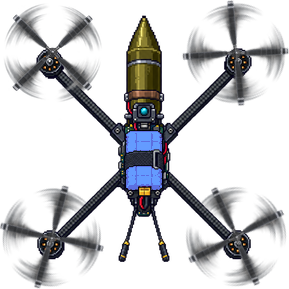 | hornet | fpv, kamikaze, suicidedrone, quadcopter |
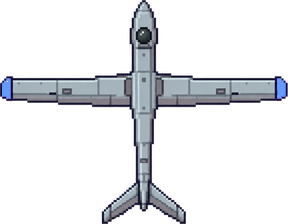 | drone | scout, uav |
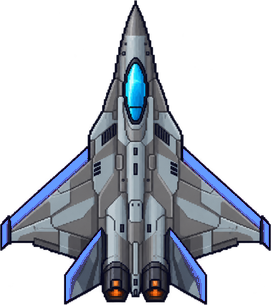 | fighter | falcon, cap |
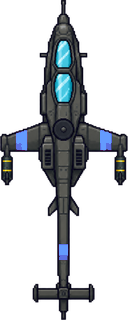 | heli | cobra, attackheli |
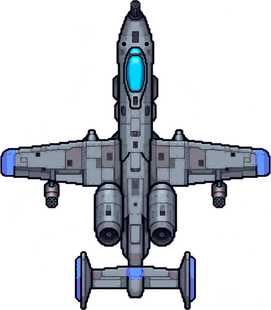 | jet | thunderbolt, strikejet |
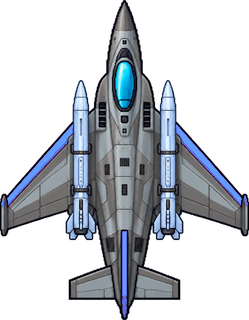 | mjet | albatross, antiship |
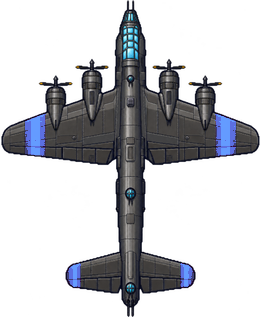 | bomber | vulture, levelbomber |
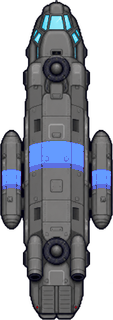 | theli | pelican, transportheli |
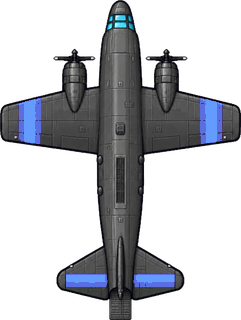 | c47 | condor, cargoplane, skytrain, dakota |
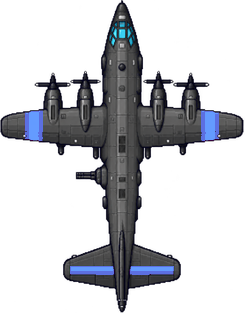 | gunship | spectre, ac130 |
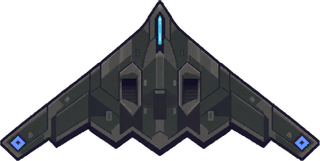 | wraith | stealth, stealthbomber |
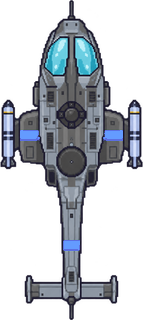 | cormorant | asw, aswheli |
 | warhead | nuke, nuclear |
 | emp | empwarhead, pulse |
Buildings have ids too, and you will see them in error messages, but /give refuses them; they are built by an engineer on ground you choose. See Controls for the keys around the console, and Multiplayer server for what the host owns in a match that runs on a server.
Last edited